00 Meet Mori

MORI

Self-learning intelligence, built to act for you.

She lives on your machine, operates your computer, and checks her own work.

Mori, drawn in ice blue line, between the macOS and Windows marks

253

Native tools

Files, terminal, browser, documents, screen control.

02

Platforms

macOS 13 and later. Windows 10 and 11.

09

Model providers

Or a local Ollama server with no key at all.

$0

On your own keys

The app is free. Plans add managed models and larger caps.

01  What she does

She does the work, then proves it.

Give her the whole job in one sentence. She plans it, does it on your machine, and checks the result before she tells you it is done.

Builds and ships

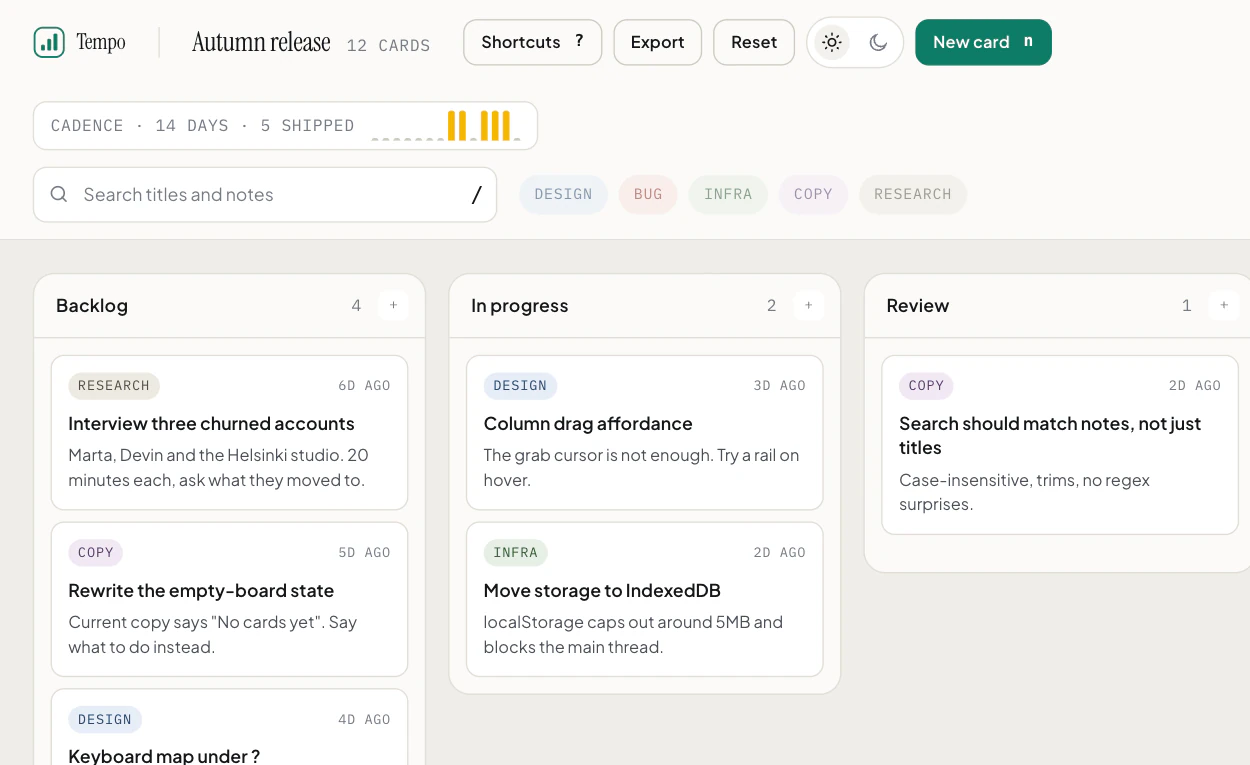
Whole projects, written to your real disk. She runs them in named terminals that persist, and opens a live preview of what she builds. Below is one build, from the ask to the last screenshot.

  • Multi-file projects on disk
  • Named persistent terminals
  • A live preview of the pages she builds
  • Designer mode for pages and screens

A replay of a real Mori build of Tempo, a kanban board with a marketing page. In 30 minutes and 43 seconds she checked 3 sources, wrote 11 files, ran 7 commands and opened 5 previews.

Build me a complete, premium web app called Tempo in the folder …/tempo: a kanban project board with drag and drop between columns, keyboard shortcuts (n for a new card, / to search, arrow keys to move focus between cards), search and label filters, dark and light mode, and everything saved in localStorage. Put a polished marketing landing page in front of it with a monthly and yearly pricing toggle. Make it look like a real product, not a template, and open the preview when it works.
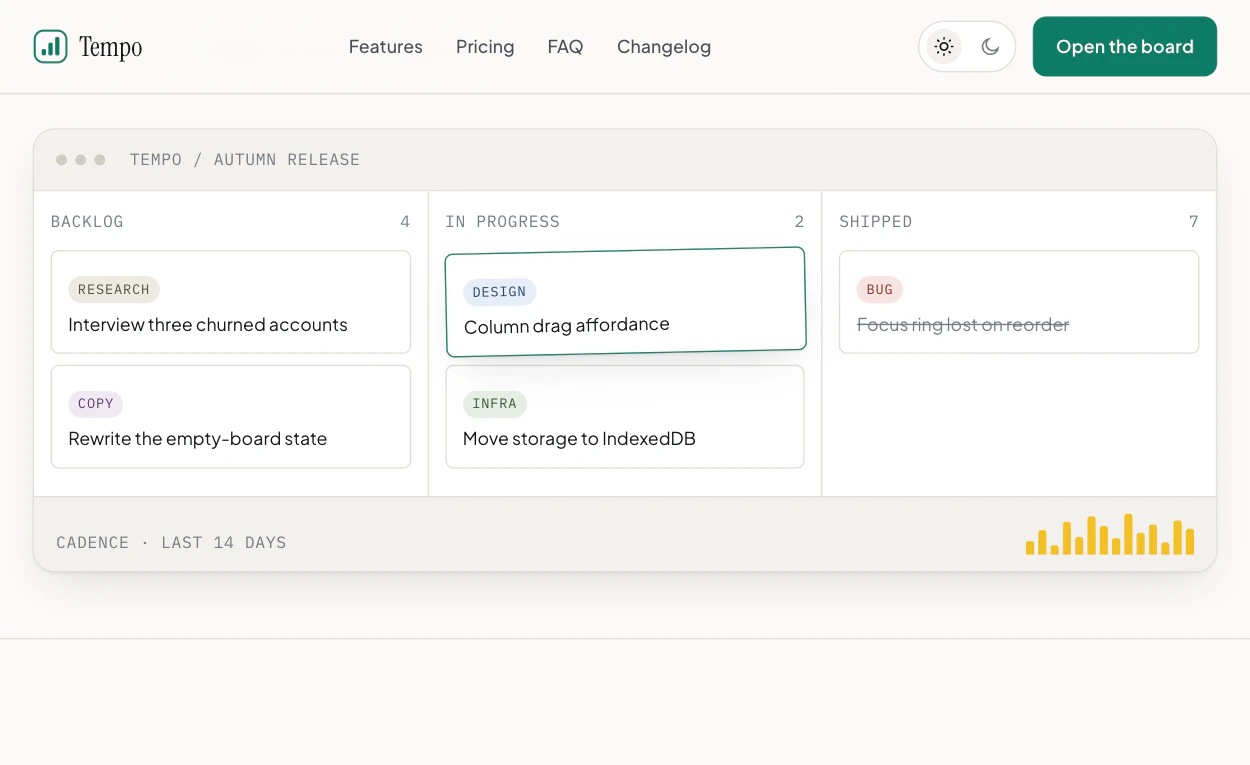
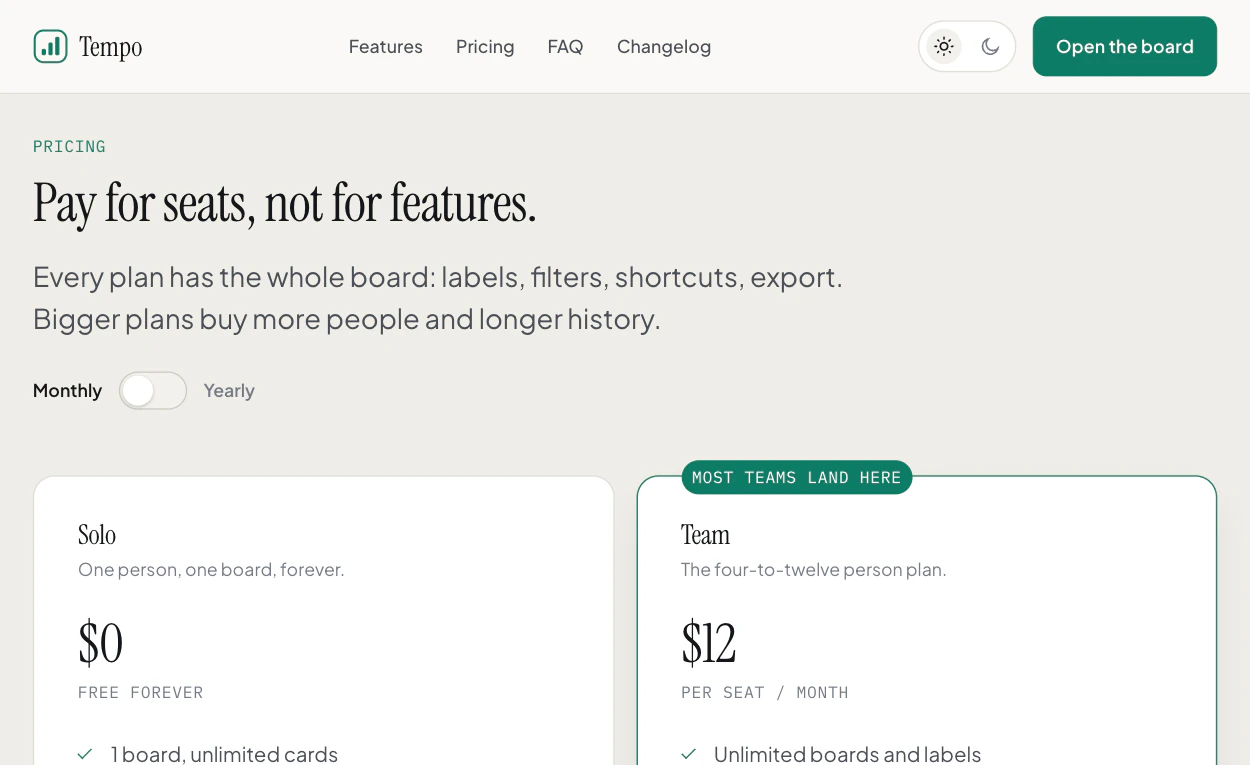
Drawn from the step log of a real 31 minute build and shown in about 40 seconds. The code and the previews are from the finished files. One cleanup command we refused is left out.

$ node /tmp/tempo-check.js

  • 34 more checks passed
  • okyearly: Team is $120 (12 x 10) per seat / year
  • okyearly: Studio is $490 (49 x 10) flat / year
  • okyearly: every price changed, none left monthly
  • okyearly: saving derived as 2 months free
  • okyearly: change announced to the live region

39 passed, 0 failed

Checks her own work

The build above ends on a harness she wrote for it: 39 checks on the board and the pricing toggle, all passing. Her review then found three real bugs and fixed them, and her last line said the tests had not run again since.

  • A verification line after every change
  • Claims checked again against your disk
  • No done on an edit nothing has run
  • A review pass before the handover

Answers to you

You set the leash. The autonomy ladder runs from Guided to Commander. When she asks, the card shows the real choices, and Stop never answers for you. Memory lives in files you can read.

  • Autonomy: Guided, Trusted, Commander
  • Permission cards with the real choices
  • File-based memory you can read
  • 9 providers, or local Ollama
GuidedShows file changes as a diff first, and confirms the risky commands it recognises.
TrustedRuns routine work, and confirms the risky actions it recognises.
CommanderFull autonomy, for a time-boxed window.
02  New in 1.38

What is new.

These are the changes you will notice first. Mac is on 1.38.0 now, and Windows is still on 1.36.16.

Read the changelog

  • Asks like Claude Code

    Shift+Tab in the chat box moves between Guided, Trusted and Plan, the way Claude Code's modes work. The chip shows where you are, and Commander sits on its menu with a plain description of what it lets through.

  • Always allow, for the exact command

    A command card can allow the exact line you are looking at, for that project. Settings and /permissions list every rule, and one click removes it. Deletes, pushes, kills and protected files still ask every time.

  • One place to answer

    Read-only commands run without asking. Everything else asks on one card in the app, with no second macOS popup, and Mori never pulls her window in front of what you are doing.

  • A No that sticks

    A No stops the turn, and "No, and say why" tells her what to do instead. A line you declined comes back as a question, never as a silent retry, and Stop is never counted as a No.

  • A cleaner chat

    Mori's answers sit on the page without a box, and only your messages have a bubble. There is one Stop while she works, and headings, lists and code read with calm, even spacing.

  • Memory only when you ask

    Mori saves a memory when you ask her to remember something, or press Save to memory. The automatic kind is a switch in Settings, off by default, so nothing about you is guessed from a request.

  • A third cheaper

    A chat keeps one tool list from its first turn, so the prompt cache holds across turns. The same twelve turn chat on Opus 5.5 costs $1.25, against $1.87 before.

  • Builds that try what they built

    Mori clicks, types and presses keys in her own Preview window to check that what she built works, and her answer says what she exercised and what she did not.

03  Every surface
The Mori app icon

One brain. Every surface.

Pair once. The desktop, your iPhone, your Chrome and your chats share one memory and one set of approvals.

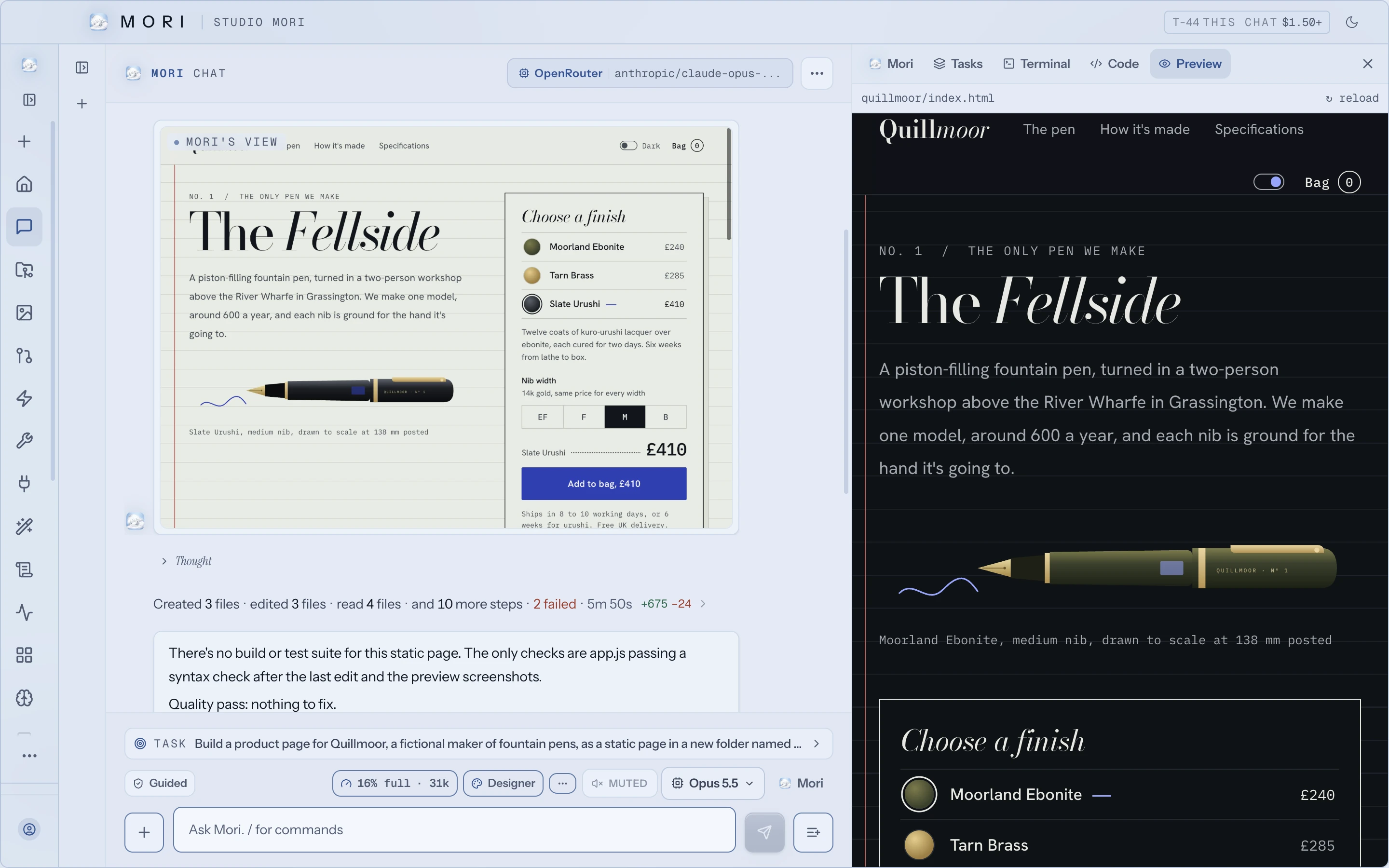
The Studio Mori desktop app after building a product page, with Mori's view of the page, a one-line summary of her steps, and a live preview beside it
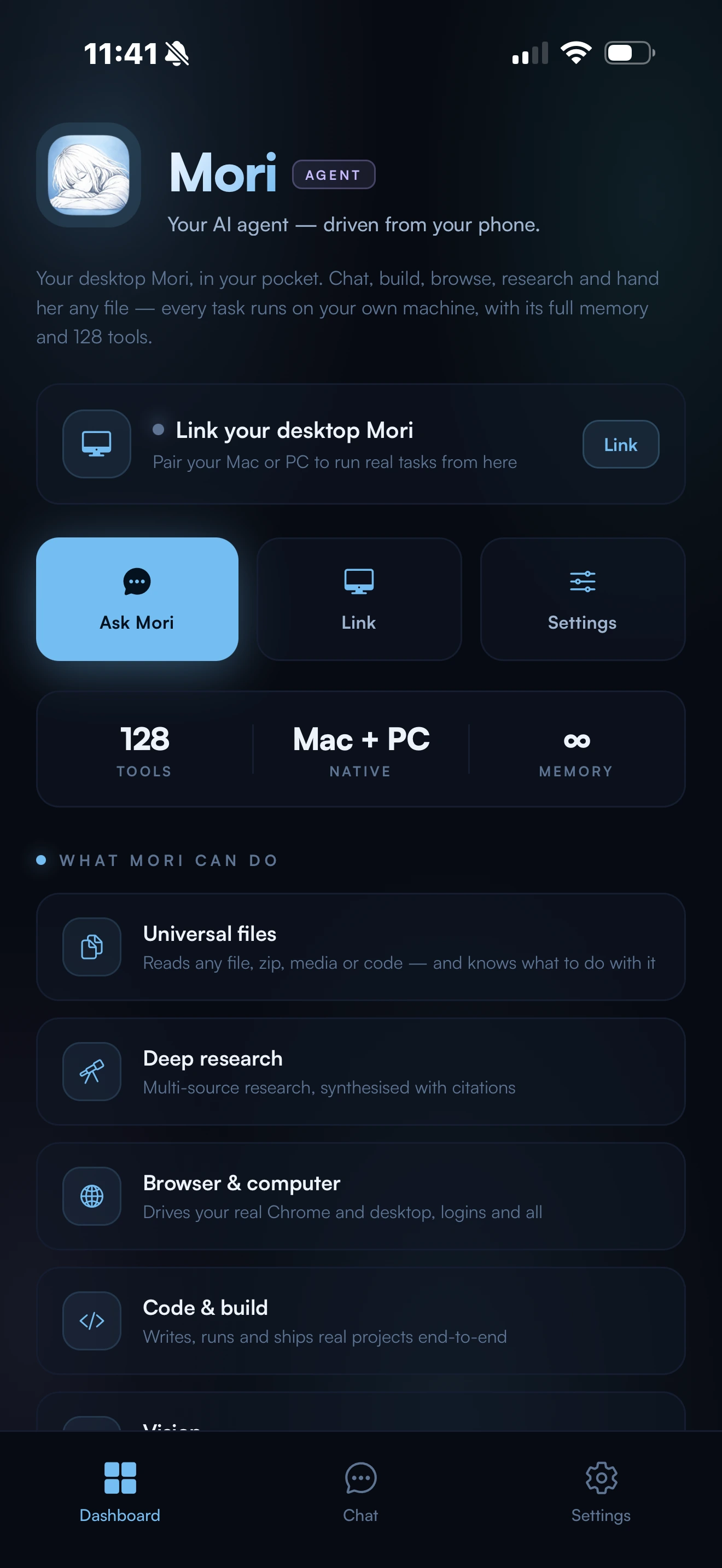
Mori Link on an iPhone: its home screen, with Ask Mori, Link and Settings, and what Mori can do on your computer from your phone
  • The desktop app

    Where the work runs, on Mac or Windows: your files, your terminal, your screen, your keys.

    Download

  • Mori Link

    On your iPhone. Pair once with a 6-digit code, then run tasks on your computer from anywhere.

    About Mori LinkApp Store

  • Mori Chrome

    A side panel in the Chrome you already use, signed in as you.

    About Mori ChromeChrome Web Store

  • Discord and Telegram

    Your own bots, answering to you by account ID, with the same approvals.

    How the bots work

04  Install

One line installs her.

The script fetches the latest build, installs it, and opens it, and the app updates itself in place from then on. Prefer a normal download? The download page has the DMG and the Windows installer.

~curl -fsSL https://studiomori.ai/install.sh | sh

Downloads the notarized app, installs to /Applications, and opens it. Apple Silicon.

05  Rates
06  Begin